Daily report (DMR)
The Daily Management Report shows, per site and designation, the approved headcount against how many are deployed and present, and the shortage; it can be printed, downloaded as Excel, and seen by the customer.
Sidebar → Daily Report (DMR) (route /daily-report). Facility-management customers expect this report every day: for each site, how many people the contract allows, how many are posted, how many turned up, and where you are short.
Who sees it: Admin, Ops Manager, HR Manager, Supervisor (their scoped sites), Viewer, and Client logins (their own sites only).
Reading the report
Choose the day (arrows, or Today) and All sites or one site.
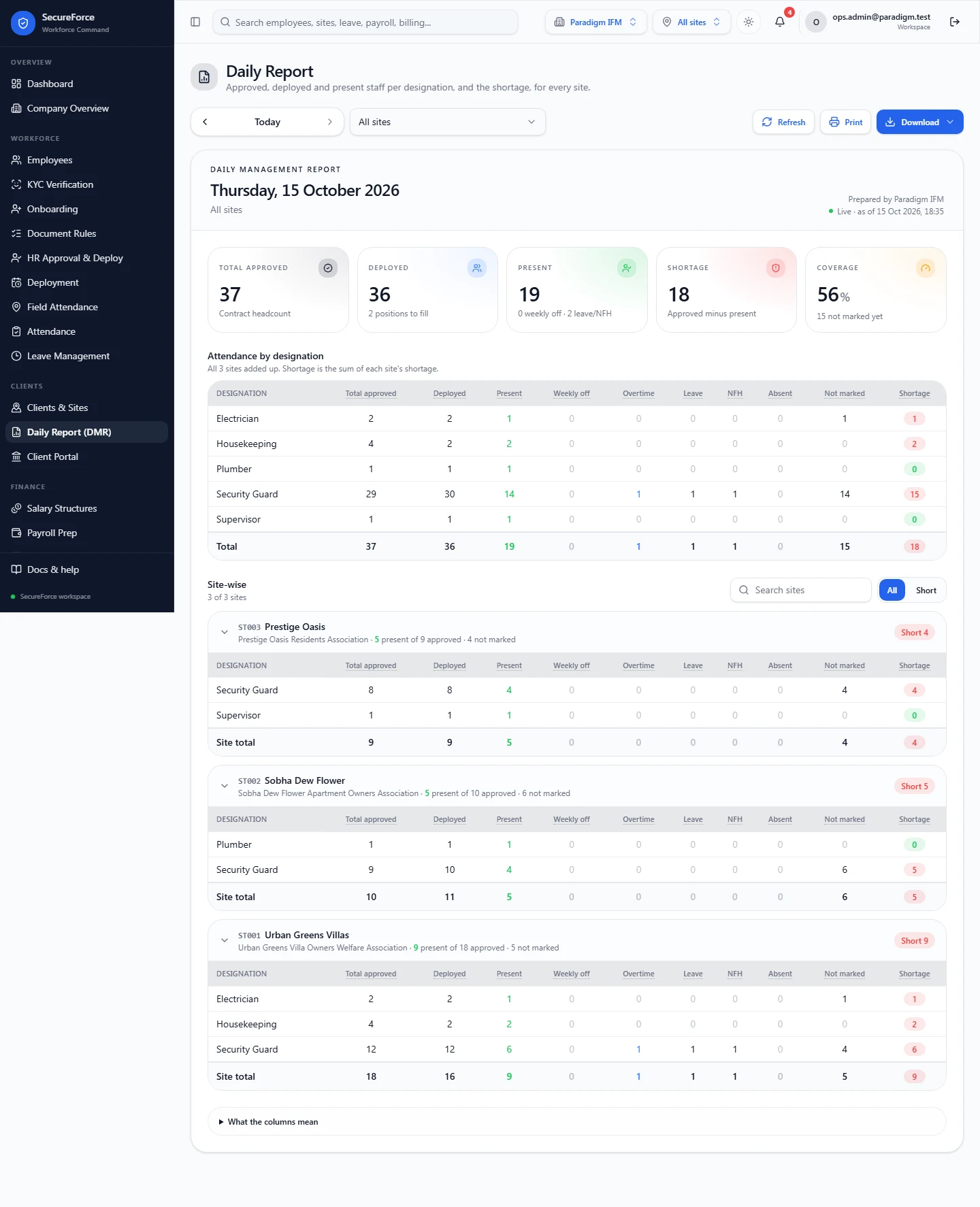
The summary cards:
| Card | Meaning |
|---|---|
| Total approved | Contract headcount from Field Attendance → Setup → Approved headcount |
| Deployed | People with an active or planned deployment at the site on that day |
| Present | People who attended (present, late, half day) |
| Shortage | Approved minus present |
| Coverage | Present as a share of those on duty (deployed minus weekly off and leave) |
Attendance by designation has one row per designation:
| Column | Meaning |
|---|---|
| Total approved | Approved headcount for this designation |
| Deployed | Deployments whose role title matches this designation |
| Present | Attended that day |
| Weekly off | Marked weekly off |
| Overtime | Extra shifts worked that day, e.g. a guard covering a second shift |
| Leave | Marked leave |
| NFH | National and festival holidays |
| Absent | Marked absent |
| Not marked | Rostered but nothing recorded yet |
| Shortage | Approved minus present, highlighted when above zero |
Two special rows can appear:
- Cover from another post: someone present at this site without a deployment here, e.g. a reliever.
- Unassigned role: a deployment with no role title.
Expand What the columns mean at the bottom of the report for these definitions in the app. For All sites, a Site-wise list follows, with a search box and All / Short filters, one expandable block per site.
Share it
Print: a print-friendly layout.
Download: Excel (one formatted block per site) or CSV (one row per site and designation).
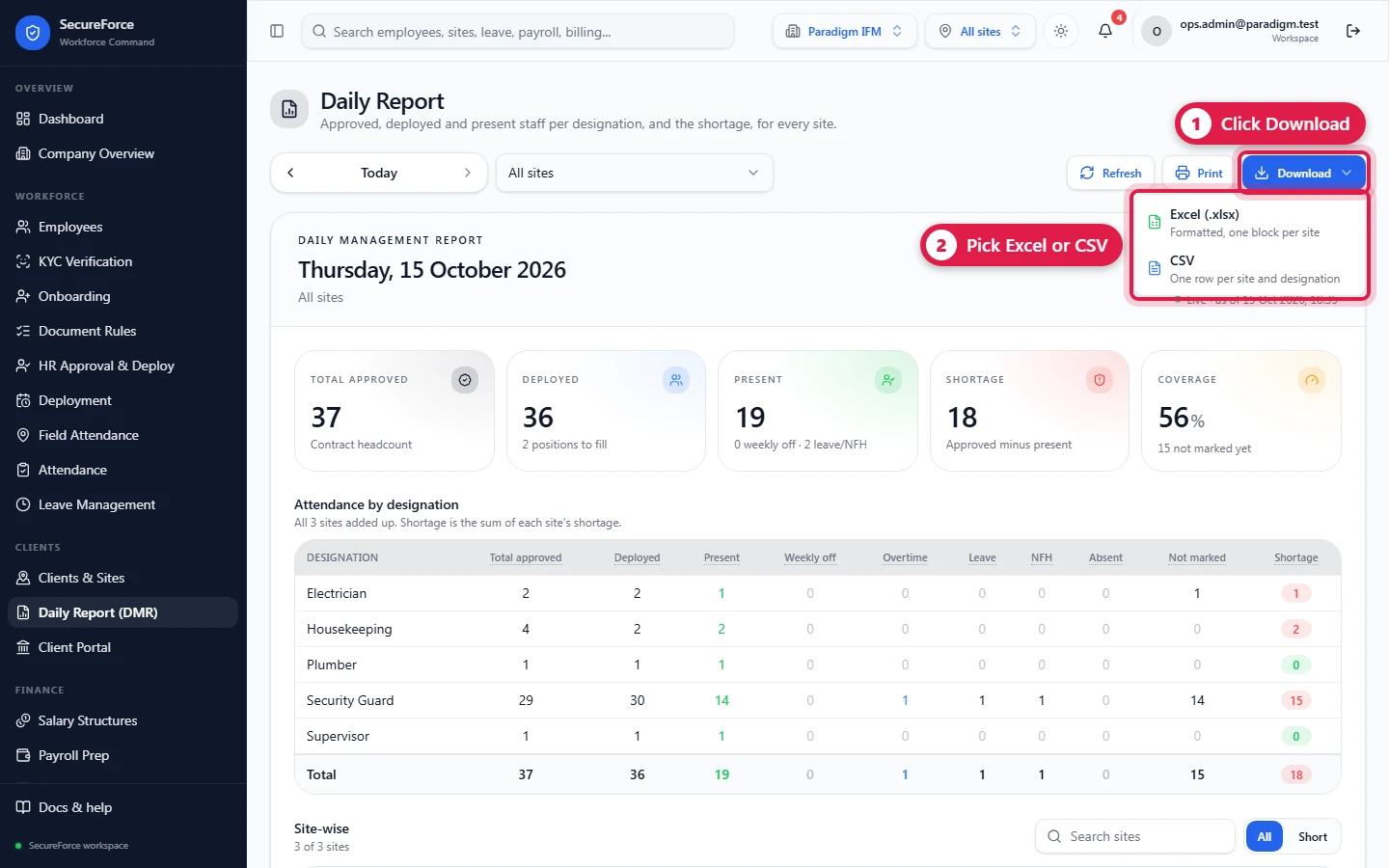
Field Attendance → Today → Export DMR gives the same file.
Give the customer their own login (role Client, scoped to their client): they open the same page and see only their sites (Administration).
The same report sits in the Client portal, under the customer's attendance for the period (man-days per site and day by day, with Export attendance).
The report only goes up to today. Refresh reloads it; today's numbers also refresh by themselves while the page is open, as guards check in.
Getting the numbers right
| Problem | Fix |
|---|---|
| Total approved is empty, "Set an approved headcount" | Field Attendance → Setup → Approved headcount, for this site |
| Deployed is 0 | No deployment at this site, its start date is in the future, or it's completed or cancelled |
| A person sits under "Cover from another post" | Their deployment's role title doesn't match the designation, or they have no deployment here |
| Not marked stays high | Supervisors haven't completed the muster |