Organization
Set up your own company's structure (vendor companies, branches, departments, service lines and employee grades with their pay currency), which every employee and deployment refers to.
Sidebar → Organization (route /organization). This describes your company, the service provider, not your customers. You set it up once; each list then becomes a dropdown on employees, deployments and payroll.
Who can do this: Admin, Ops Manager (permission master_data.manage).
The five lists
Each list has its own Add button, an Edit and Delete per row, and a Status (active, inactive, archived). Codes are generated automatically from the numbering set in Administration.
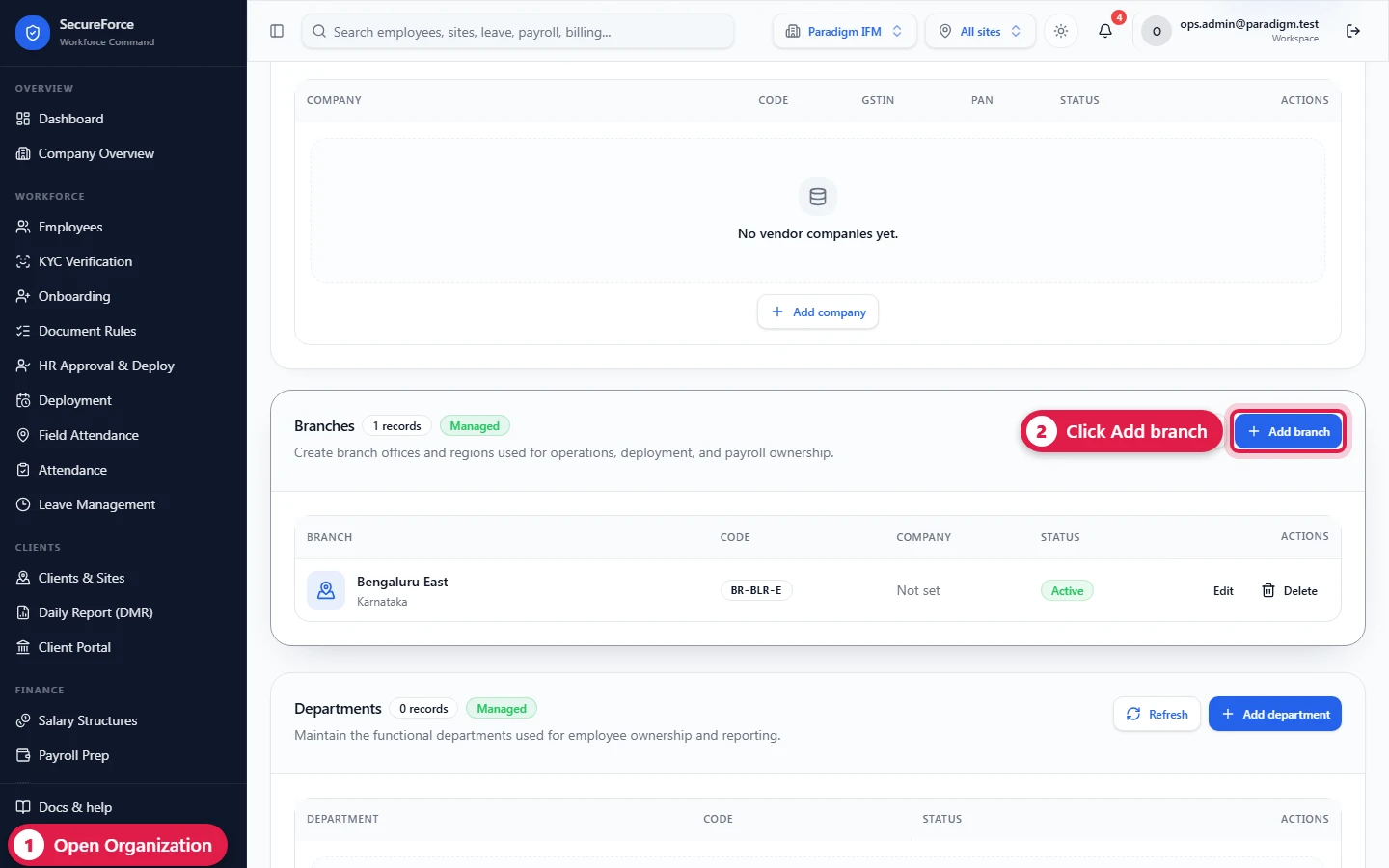
Vendor companies → Add company
A vendor company is your own legal entity: the company that employs your staff and sends them to customers' sites (in this app you are the vendor, your customers are the clients). Everything you hire and deploy sits under one.
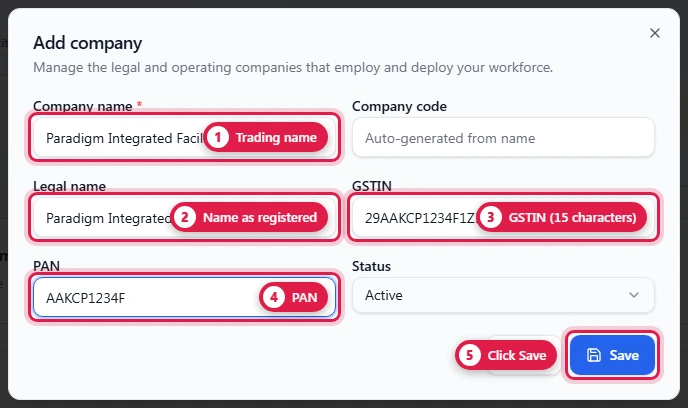
| Field | Required | Notes |
|---|---|---|
| Company name | Yes | Trading name, e.g. Paradigm Integrated Facility Management |
| Legal name | As registered | |
| GSTIN | 15 characters | |
| PAN | ||
| Code | Generated (COM-0001) when created; branch, department, service line and grade codes work the same way. Editing a record keeps its code. |
Add one per legal entity if your group has several, e.g. a security company and a facility-management company under the same owners. Each has its own GSTIN, PAN and code.
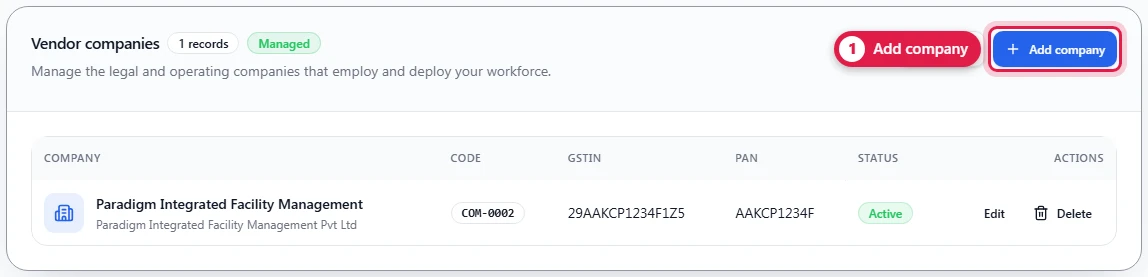
Edit on a row changes the company; Delete removes it. A company that branches or employees still point to should be set to inactive instead of deleted.
Branches → Add branch
| Field | Required | Notes |
|---|---|---|
| Company | Which company the branch belongs to | |
| Branch name | Yes | e.g. Bengaluru, Hyderabad, Pune |
| Region | e.g. South |
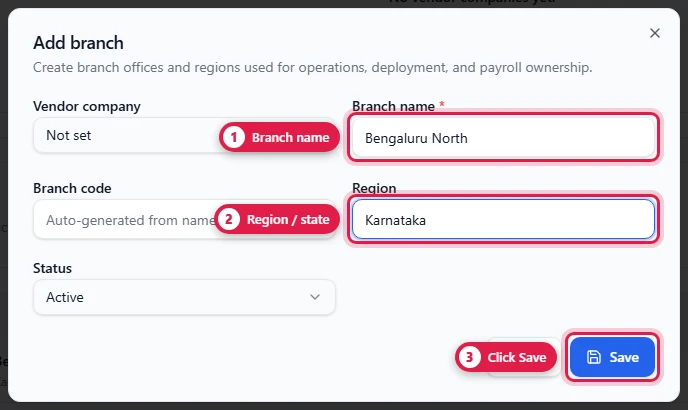
A branch is an office that services a set of sites. A site's Servicing branch and a branch data scope refer to it.
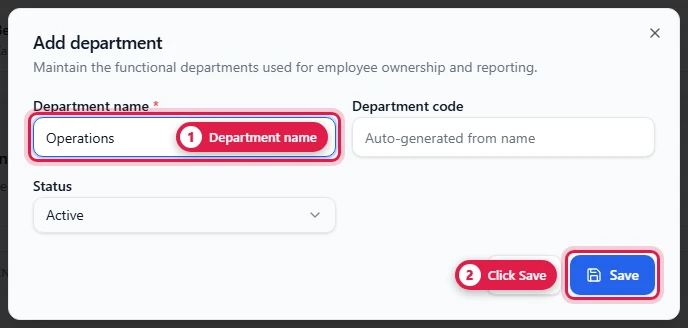
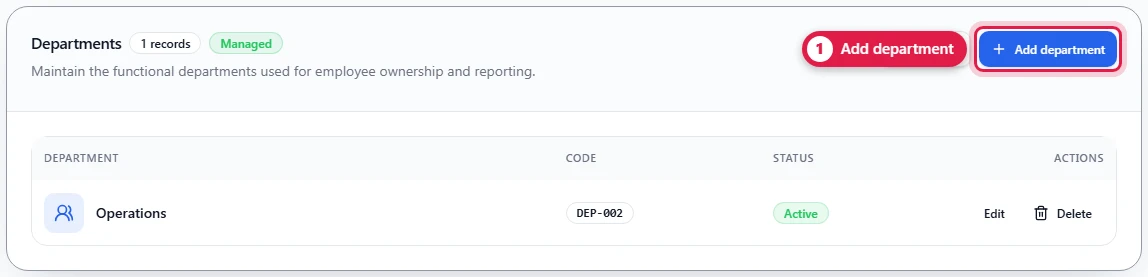
Departments → Add department
Department name (required), e.g. Operations, HR, Finance. The code (DEP-001) is generated.
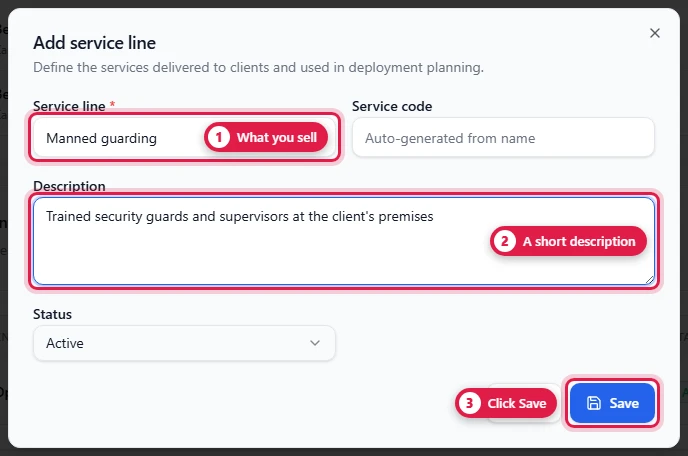
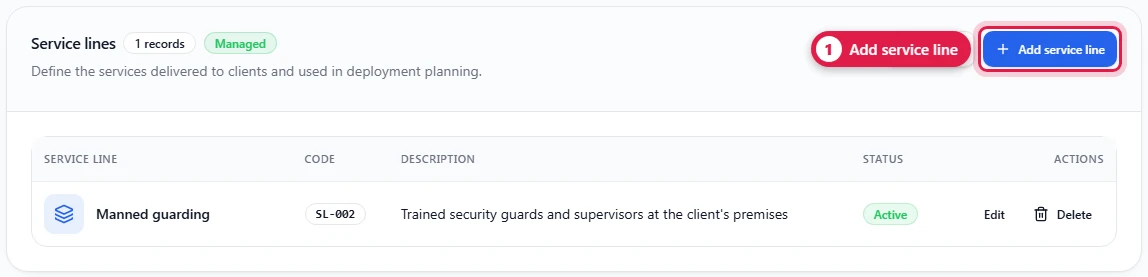
Service lines → Add service line
Service line (required) and a description: what you sell, e.g. Manned guarding, Housekeeping, Technical (MEP). Deployments can name a service line.
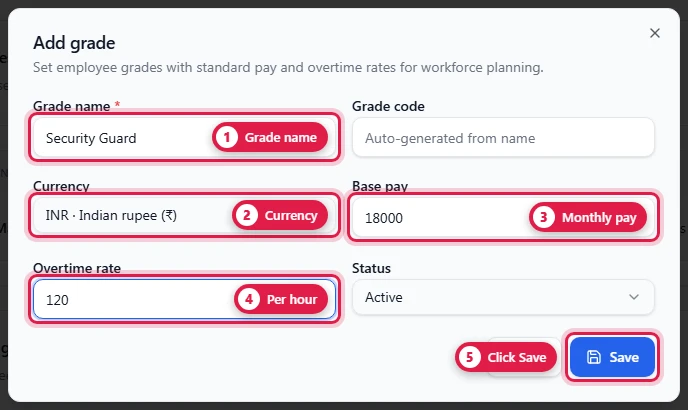
Employee grades → Add grade
| Field | Required | Notes |
|---|---|---|
| Grade name | Yes | e.g. Security Guard, Supervisor |
| Grade code | Generated (GRD-01) when created | |
| Currency | The currency the pay below is in. Default INR (₹); also AED, SAR, QAR, OMR, KWD, BHD, USD, EUR, GBP, SGD and more | |
| Base pay | Monthly, e.g. 18000 | |
| Overtime rate | Per hour, e.g. 120 | |
| Status | active / inactive / archived |
The list shows each grade's pay in its own currency, so a grade for staff posted in Dubai can be set in dirhams next to your rupee grades:
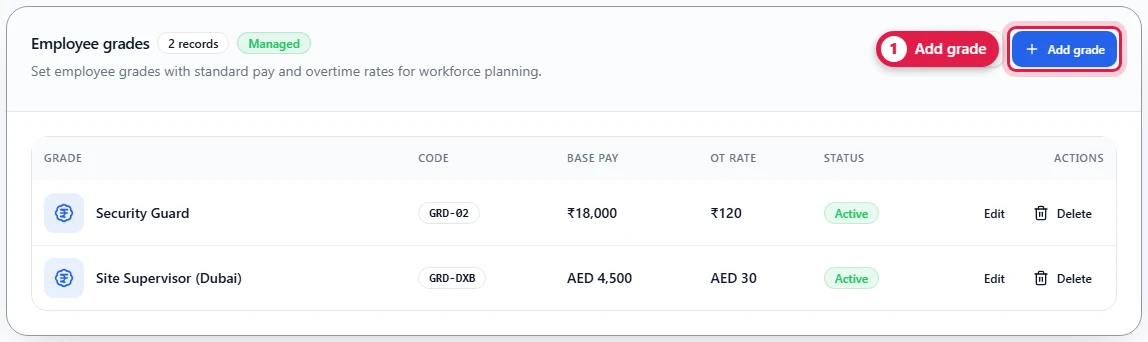
Each employee is given a grade. Grades created before the currency option existed are in INR.
How it connects
- Employees pick a company, branch, department and grade.
- Deployments carry the company and branch, and optionally a service line.
- Clients and sites: a site's Servicing branch comes from here.
- Company Overview lists each company with its people.