Shifts and roster
Define shifts, roster each person on a shift at a site for each day, and manage attendance records by hand on the Attendance page.
Sidebar → Attendance (route /attendance) has three lists:
- Shifts: the time slots, e.g. Day 07:00–19:00, Night 19:00–07:00, General 09:00–18:00.
- Roster Assignments: one person, one shift, one site, one date.
- Attendance Records: what actually happened each day. Most are created by guards checking in on Field Attendance; you can also add or fix them here.
Who can do this: Admin, Ops Manager, Supervisor (rosters.manage, attendance.manage).
Add a shift
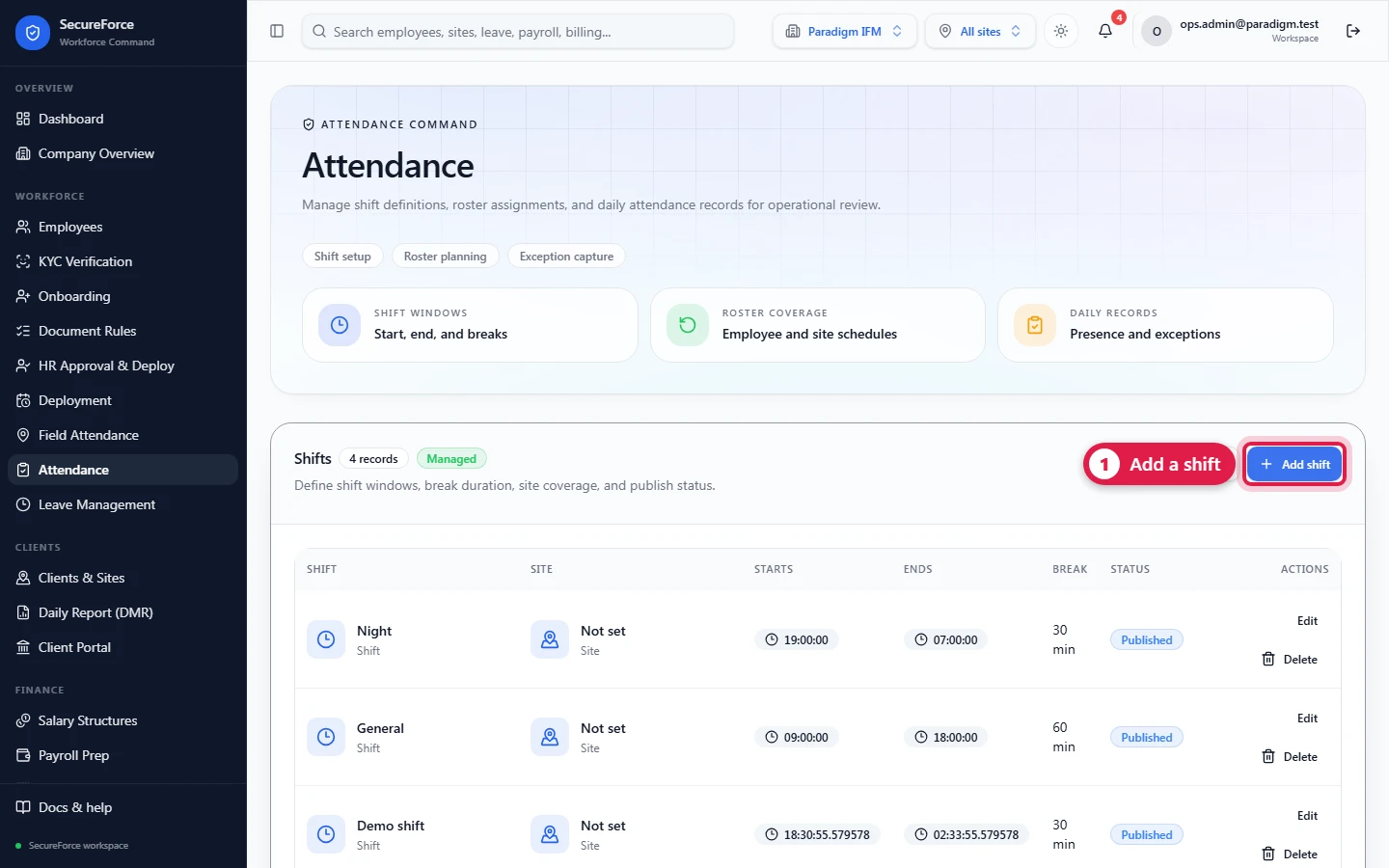
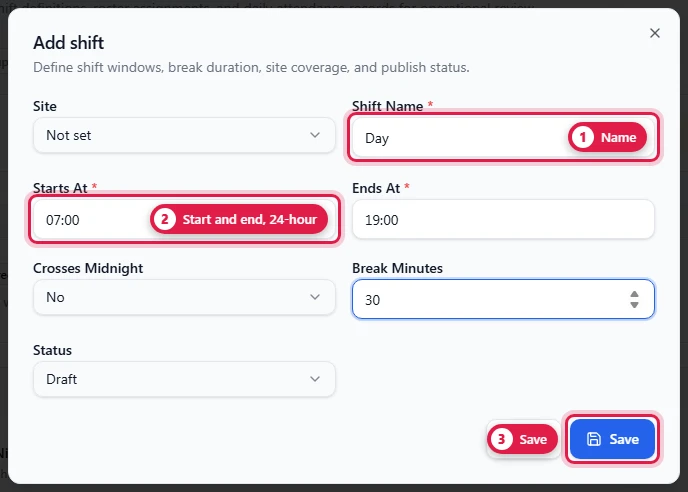
Shifts → Add shift:
| Field | Required | Notes |
|---|---|---|
| Site | Leave empty for a shift used at every site, or pick one site | |
| Shift Name | Yes | e.g. Day |
| Starts At | Yes | 24-hour, e.g. 07:00 |
| Ends At | Yes | e.g. 19:00 |
| Crosses Midnight | Yes for night shifts (19:00 → 07:00) | |
| Break Minutes | e.g. 30. Subtracted from worked time. | |
| Status | draft, published, locked, cancelled. Use published. |
A check-in is late when it's more than the late-after grace (15 minutes by default) past the shift start. Set the grace in Field Attendance → Setup.
Roster someone
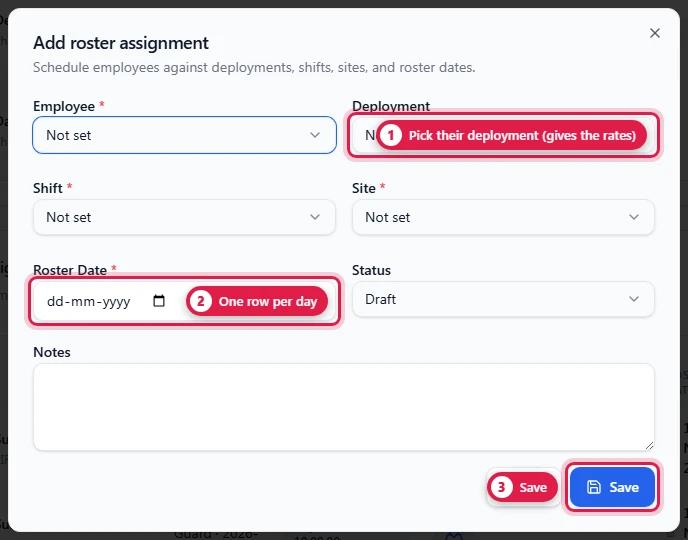
Roster Assignments → Add roster assignment:
| Field | Required | Notes |
|---|---|---|
| Employee | Yes | |
| Deployment | Pick the person's deployment. This link gives the day a pay rate and a bill rate. Without it, payroll counts the day at ₹0 and flags it. | |
| Shift | Yes | |
| Site | Yes | Where they work that day |
| Roster Date | Yes | One row per day |
| Status | Use published | |
| Notes |
Workers placed with Approve & Deploy are rostered automatically for the next days (31 by default), linked to their deployment.
A guard with no roster entry for today sees "No shift rostered" and can't check in. The phone takes the site (for the location check) and the shift (for on-time or late) from today's roster.
The Deployment dropdown shows each deployment as "role · start date" without the person's name. If several people share a role and start date, open the Deployment page to tell them apart.
Attendance records by hand
Attendance Records → Add attendance record creates a day manually, for staff who don't use the app or for corrections. Prefer the muster for day-to-day marking and corrections: it keeps an audit trail and the original punches.
How it connects
- Uses shifts, deployments and sites.
- Field Attendance reads today's roster for each guard and lists everyone rostered in the muster.
- Payroll and billing follow attendance → roster → deployment to find rates.