Operations
Leave
Record leave balances, raise leave requests, approve or reject them, and see how approved leave appears in attendance and payroll.
Sidebar → Leave Management (route /leave-management).
Who can do this: Admin, Ops Manager, HR Manager, Supervisor (leave.manage). Field employees can see their own.
The page has three parts:
- Leave Review: counts of requested, approved and rejected leave for a Period start to Period end, filterable by status.
- Leave Requests: each request with its status and Approve / Reject actions.
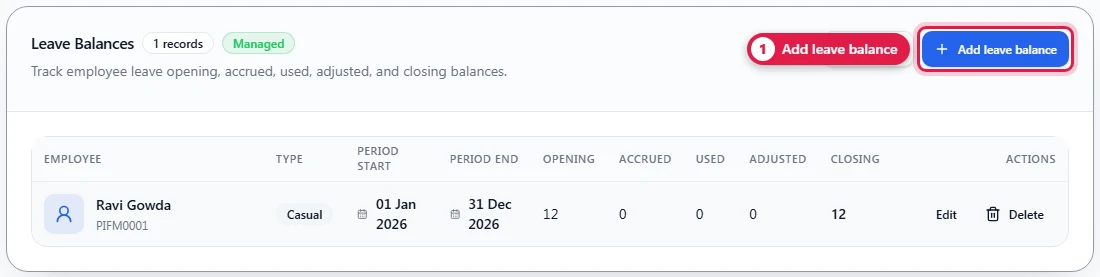
- Leave Balances: each person's balance per leave type and period.
Leave types: casual, sick, earned, unpaid, other.
Set up a leave balance
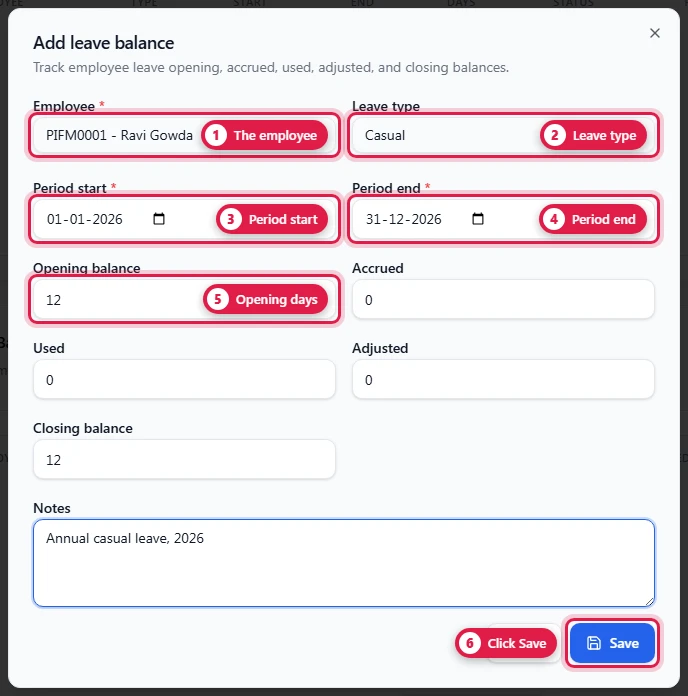
Leave Balances → Add leave balance:
| Field | Required | Notes |
|---|---|---|
| Employee | Yes | |
| Leave type | casual, sick, earned, unpaid, other | |
| Period start / Period end | Yes | e.g. the leave year 1 Jan – 31 Dec |
| Opening balance | Days at the start of the period | |
| Accrued | Days earned in the period | |
| Used | Days taken | |
| Adjusted | Manual corrections (+ or −) | |
| Closing balance | Opening + accrued − used ± adjusted | |
| Notes |
Raise a leave request
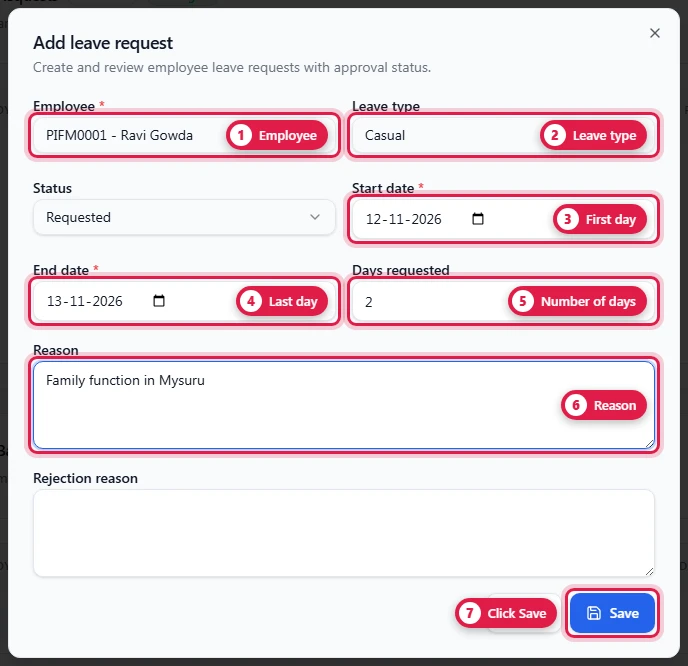
Leave Requests → Add leave request:
| Field | Required | Notes |
|---|---|---|
| Employee | Yes | A supervisor can raise it on the worker's behalf |
| Leave type | ||
| Start date / End date | Yes | |
| Days requested | Default 1 | |
| Reason | ||
| Status | Starts as requested |
Approve or reject
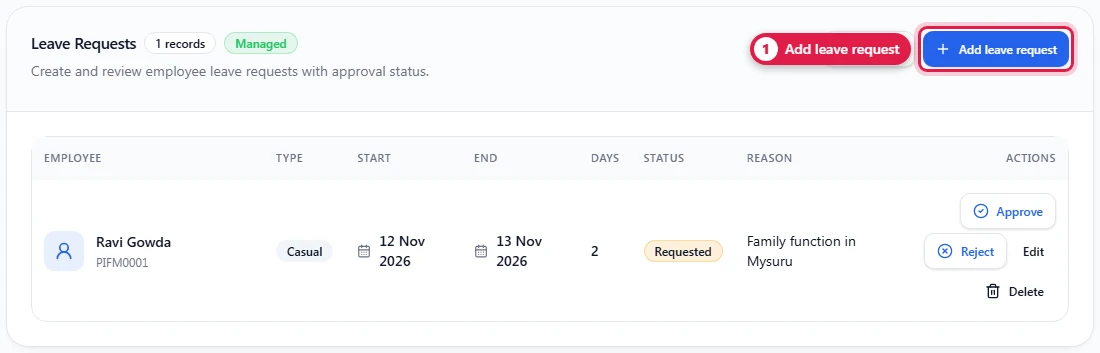
Each requested row has Approve and Reject. An approved request can't be edited or deleted. A rejected request records a rejection reason.
How it connects
- Mark leave days in the muster with Mark as → Leave. They then show under Leave on the daily report and are excused from the attendance %.
- Approving a request doesn't change attendance by itself: mark the days in the muster.
- Payroll Prep counts every attendance day marked Leave as a paid day. Attendance has no separate unpaid-leave status, so for unpaid leave mark the day Absent instead.