KYC verification
Run the ten pre-hire checks for a security guard (identity, address, employment history, police, medical, PSARA training, references, bank), fetch documents from DigiLocker, and clear the candidate for deployment.
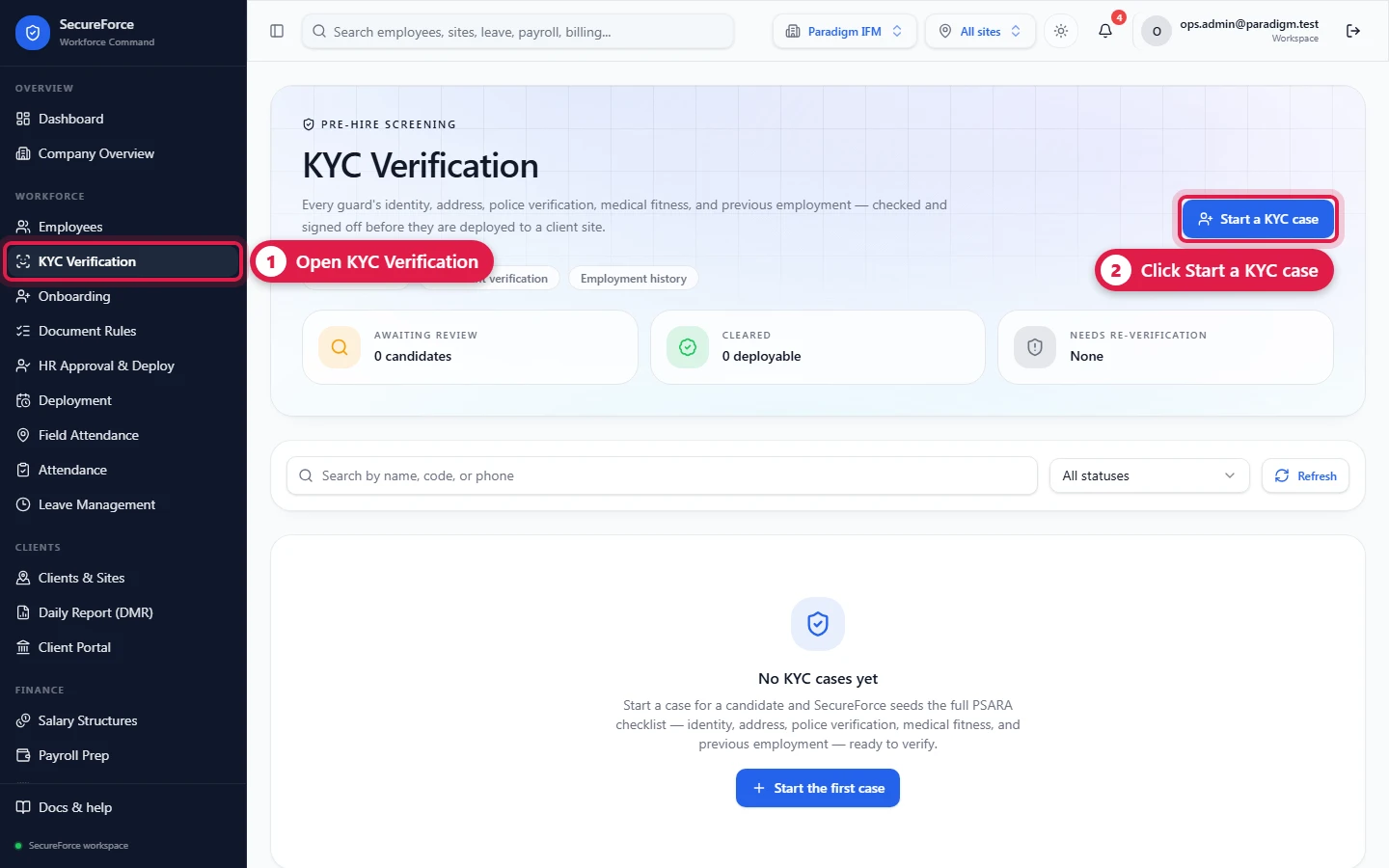
Sidebar → KYC Verification (route /kyc). For security staff, the PSARA rules expect identity, address, police verification, medical fitness, training and previous-employment checks before someone is posted at a client. Each candidate gets a KYC case with ten standard checks. A case is cleared only when every mandatory check is signed off.
Who can do this: Admin, HR Manager (kyc.manage); Ops Manager can view.
Open a case
Start a KYC case.
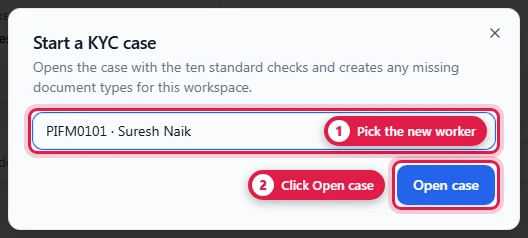
Choose the candidate (any employee who doesn't have a case yet). If the list is empty, add the employee first.
Open case. The case is created with the ten checks, plus any missing standard document types.
It appears in the list as Draft with, e.g., "0 of 7 mandatory checks verified". Click the card to open it (route
/kyc/<caseId>).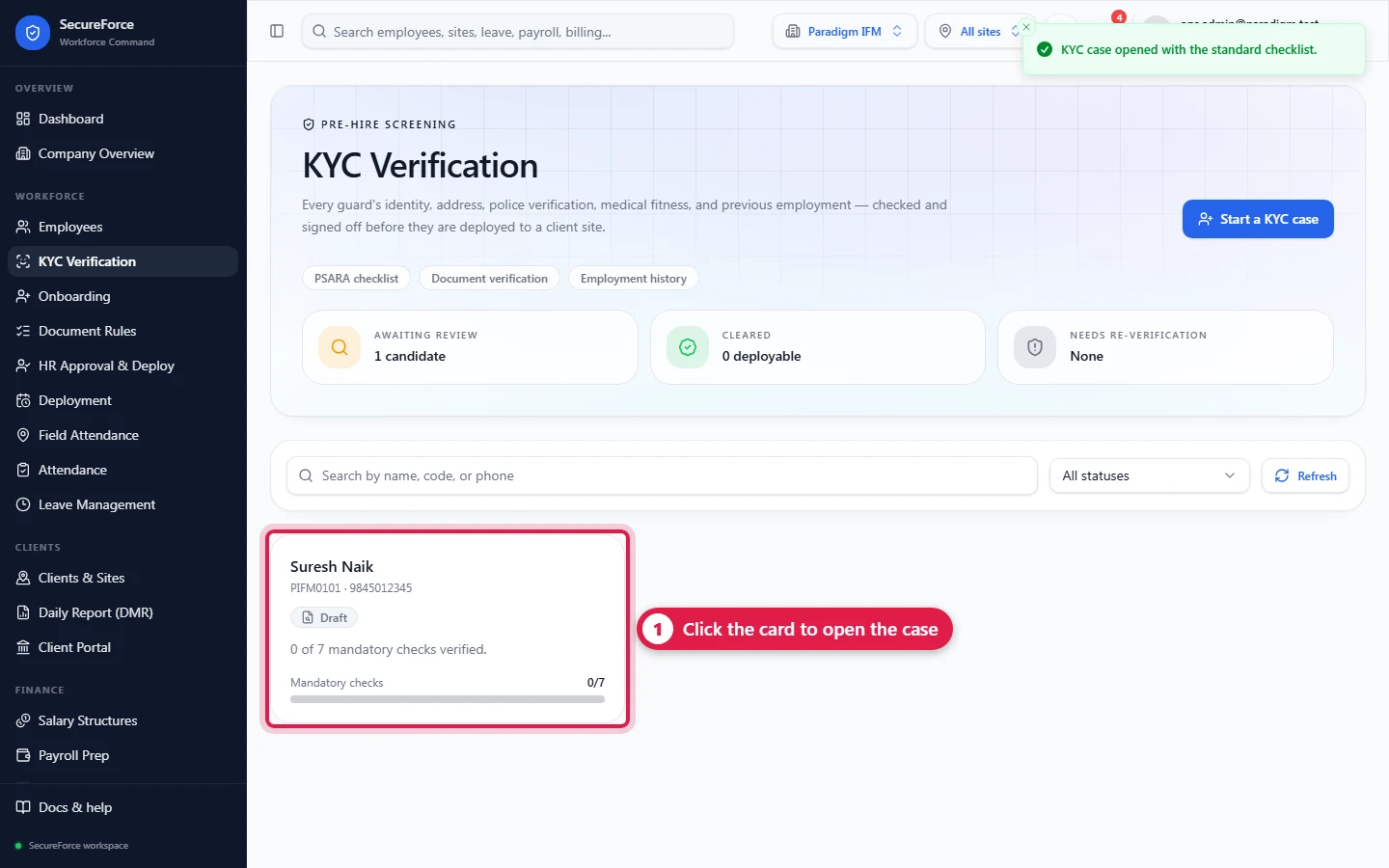
The case page
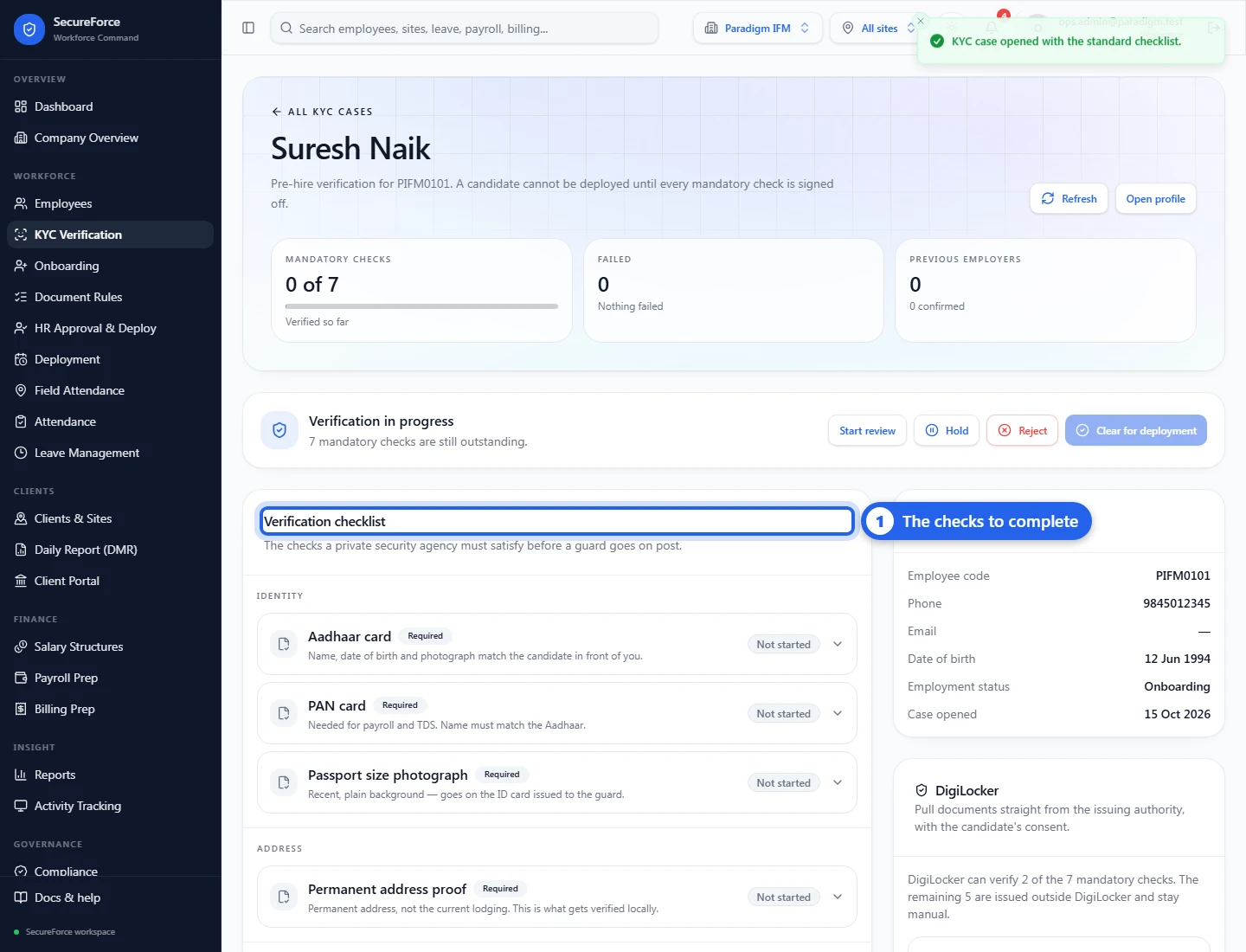
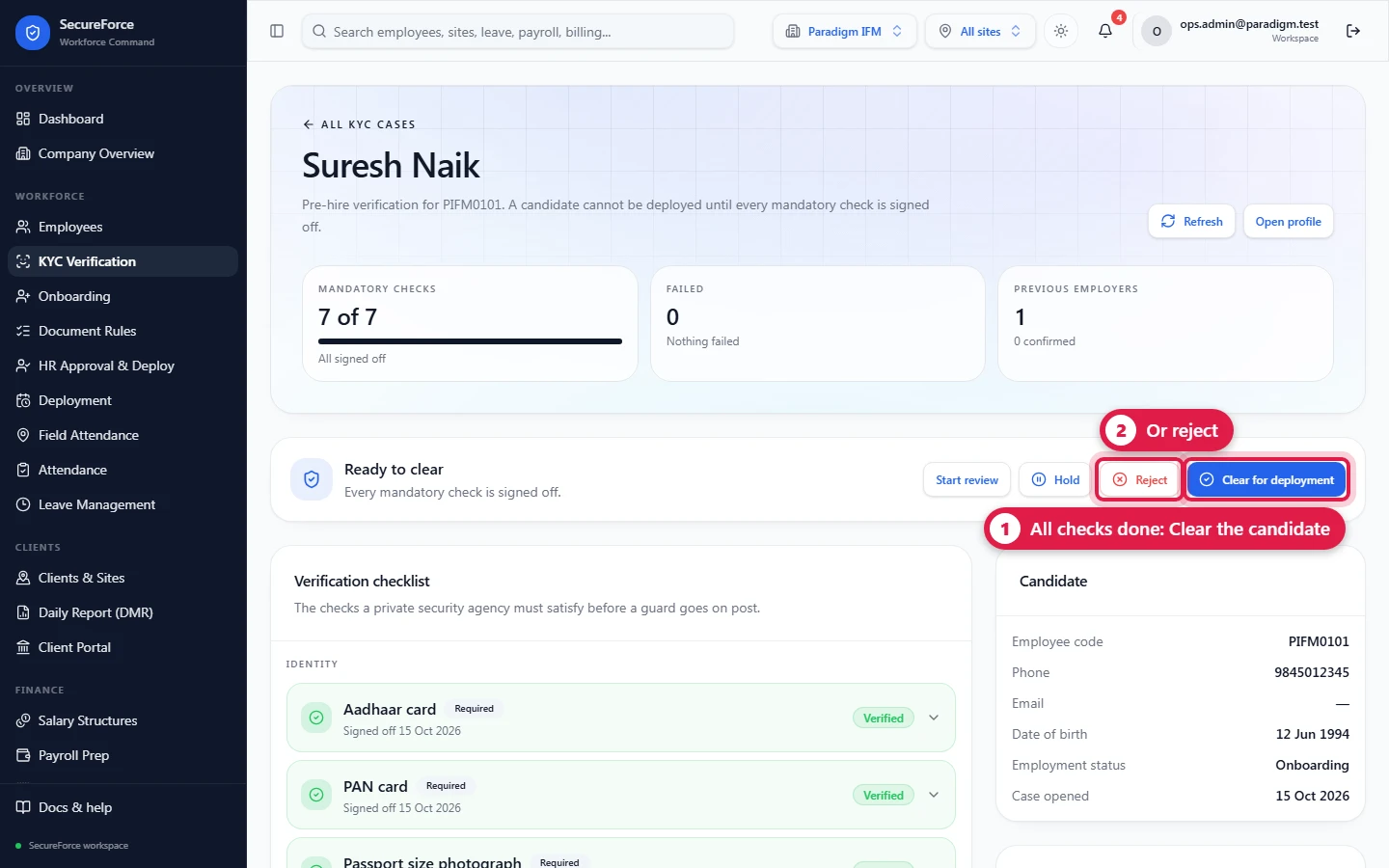
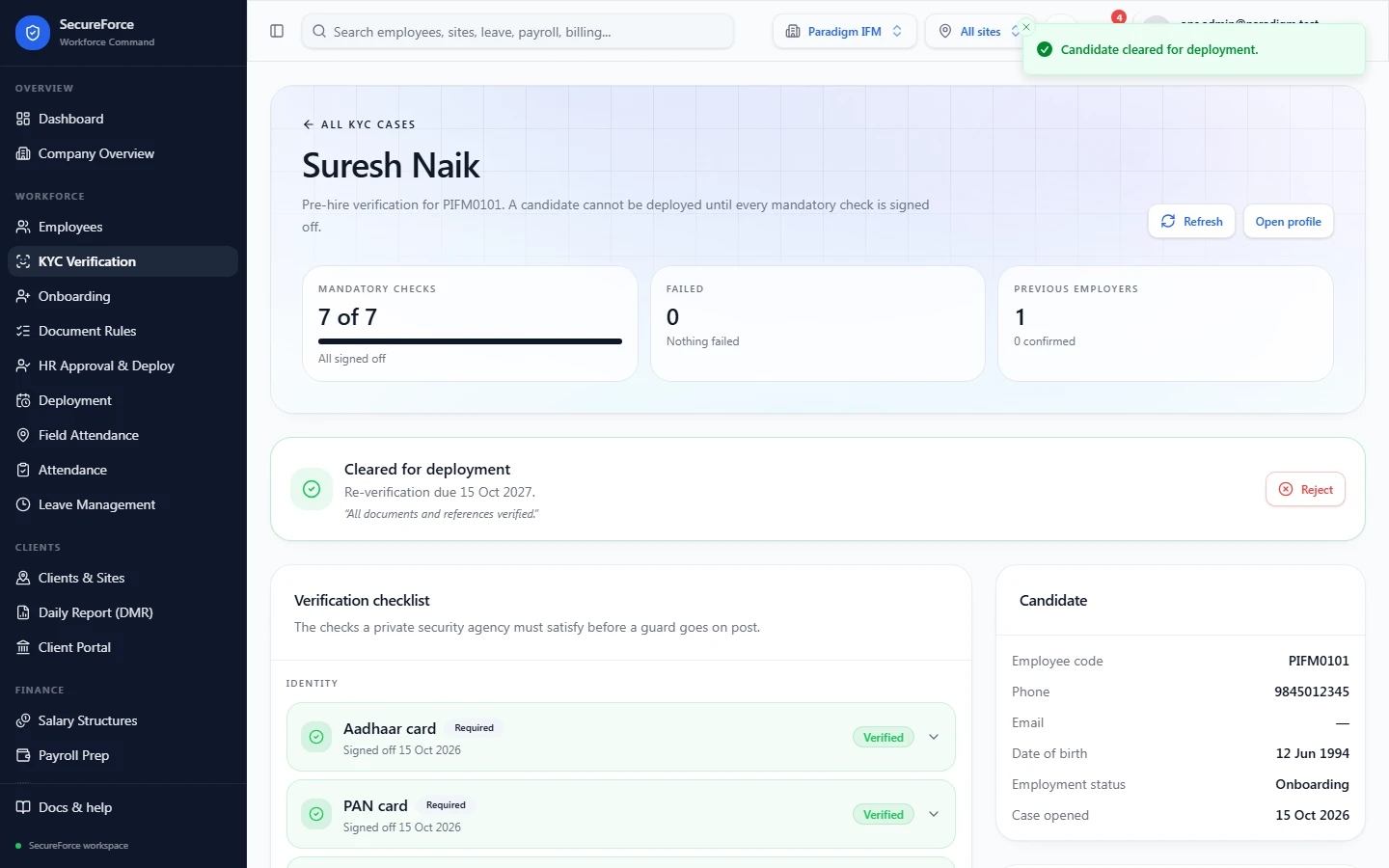
- Header: mandatory checks verified so far, failed checks, previous employers confirmed.
- Decision bar: the status and what is still outstanding, with Start review, Hold, Reject and Clear for deployment.
- Verification checklist: the checks, grouped by kind.
- Previous employment: employers to confirm.
- Candidate: code, phone, email, date of birth, employment status, date opened.
- DigiLocker: fetch documents from the issuer.
- Documents: everything filed for the candidate, with View and Upload.
The ten checks
| Check | Kind | Mandatory | Document |
|---|---|---|---|
| Aadhaar card | Identity | Yes | AADHAAR. Enter the 12-digit number; it is checksum-validated and shown masked. |
| PAN card | Identity | Yes | PAN. Enter the 10-character PAN (format AAAAA9999A). |
| Passport size photograph | Identity | Yes | PHOTO |
| Permanent address proof | Address | Yes | ADDRESS_PROOF |
| Previous employment certificates | Employment | Yes | PREV_EMP_CERT |
| Police verification certificate | Police | Yes | POLICE_VERIFICATION |
| Medical fitness certificate | Medical | Yes | MEDICAL_CERT |
| PSARA security training certificate | Education | PSARA_TRAINING | |
| Reference check | Reference | none | |
| Bank account proof | Bank | BANK_PROOF |
The exact mandatory set is shown on the case ("N of 7 mandatory checks") and marked Required on each check.
Sign off a check
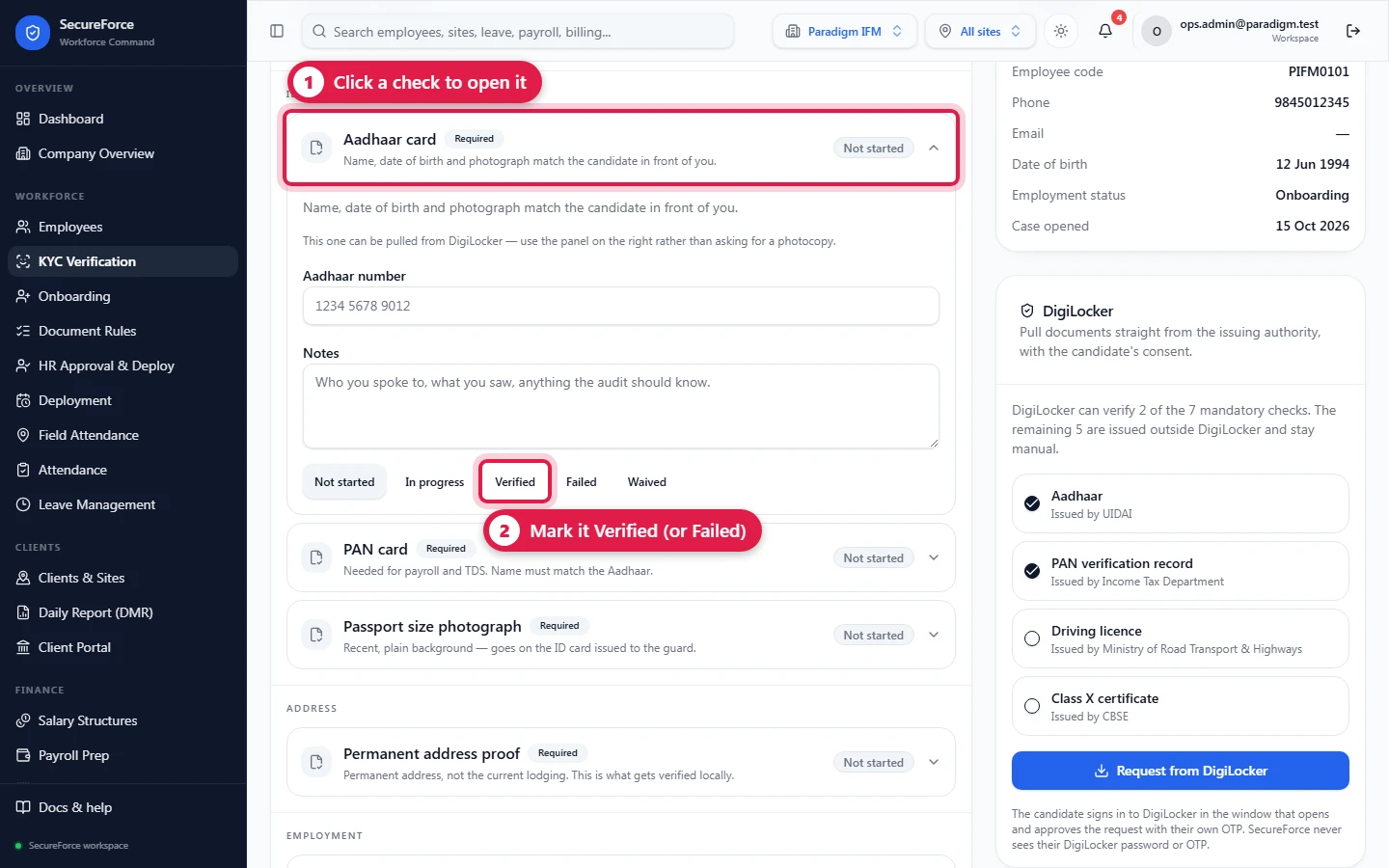
- Click the check to open it. It shows guidance on what to look for.
- Upload or link the document, or fetch it from DigiLocker.
- For Aadhaar and PAN, type the number in the field. The check can't be set to Verified until a valid number is entered ("Not captured yet").
- Add Notes: who you spoke to and what you saw.
- Set the result: Not started, In progress, Verified, Failed or Waived (not applicable).
Previous employment
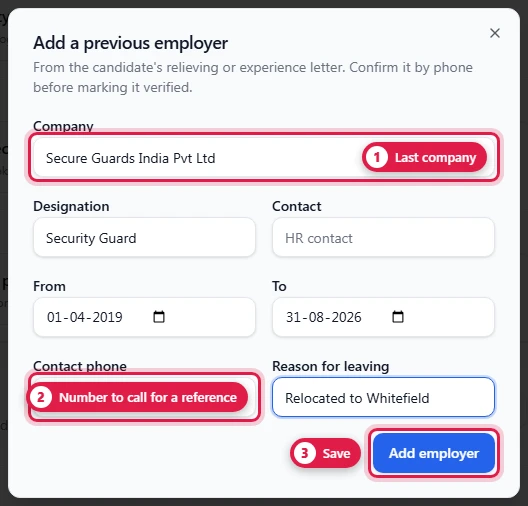
Add employer → Company, Designation, Contact, From, To, Contact phone, Reason for leaving → Add employer. After phoning the employer, press Confirmed (or Could not confirm). Remove deletes the entry.
DigiLocker
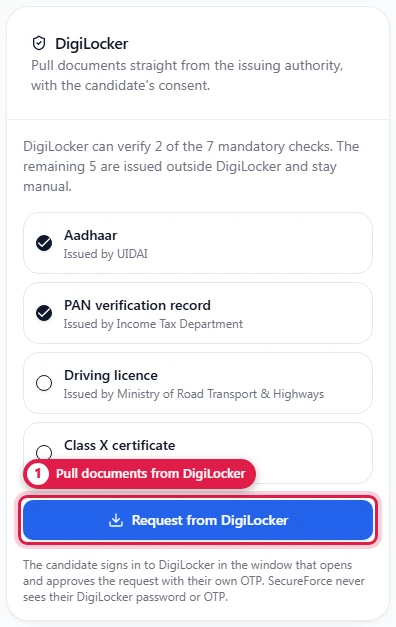
The DigiLocker panel shows which mandatory checks can be pulled from DigiLocker (e.g. Aadhaar from UIDAI, PAN from the Income Tax Department). Press Request from DigiLocker: the candidate signs in to DigiLocker in the window that opens and approves with their own OTP; SecureForce never sees their password or OTP. Fetched documents are marked as coming from DigiLocker. The DigiLocker connection must be configured for your account.
Decide
- Start review: mark the case as in review.
- Hold: pause it (e.g. waiting for a police certificate).
- Reject: the candidate fails KYC.
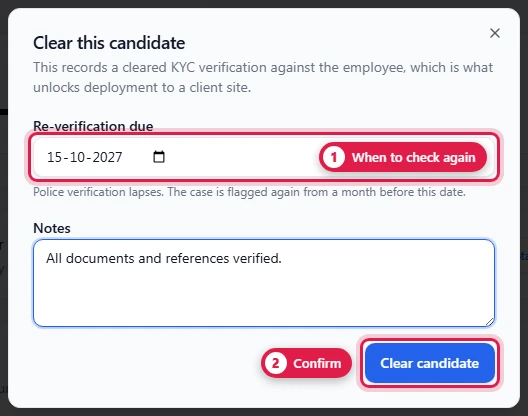
- Clear for deployment: enabled only when every mandatory check is Verified or Waived and nothing has Failed; otherwise hover it to see why. In the dialog, set Re-verification due (police verification lapses; the case is flagged again from a month before) and Notes for the client's audit, then press Clear candidate.
The KYC page header counts Awaiting review, Cleared (deployable) and Needs re-verification. Filter cases by status or search by name, code or phone.
How it connects
- Works on the employee record and their documents (shared with onboarding).
- A cleared case records a verification against the employee; re-verification dates feed compliance follow-up.